Signing On
Travelport+: Smartpoint 12.0
 Machine translation for sign-on topics is available in the Knowledge Base in the Sign on to Smartpoint Desktop with multi-factor authentication (MFA) article.
Registering for a MyTravelport account is required for Smartpoint 12.0 for Travelport+ to sign on to Smarptoint. However, registering for a MyTravelport account is strongly recommended for users of all versions of Smartpoint Travelport+ and Smartpoint Apollo.
Registering for a MyTravelport Account
Because your MyTravelport account needs to be approved before use, it is strongly recommended to create a MyTravelport account before you begin to install Smartpoint 12.0.
Confirming Your Agency’s Registration Method
Depending on your agency’s preference, you may or may not be able to create your own MyTravelport account.
-
If your agency does not permit self-registration, your agency has a MyTravelport administrator with permissions to create agent accounts. This administrator should provide your MyTravelport credentials.
-
If your agency permits self-registration, you can create your own account. However, depending on your agency’s preference, an agency administrator may need to approve your self-registration.
Self-Registering for MyTravelport
To self-register a MyTravelport account:
-
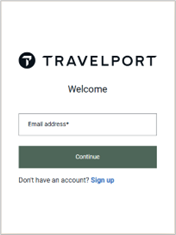
Go to https://my.travelport.com to display the Welcome screen.
-
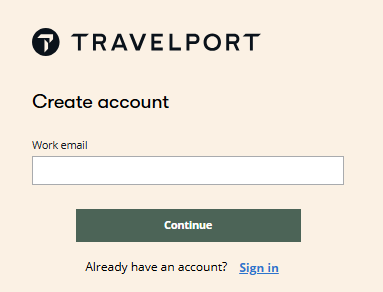
Click Sign up to display the Create Account screen.
For additional instructions to register:
-
Access MyTravelport in the MyTravelport Help.
-
FAQs and troubleshooting information about logging into MyTravelport, see Travelport log-in, account management and set-up help page.
-
-
A unique address that is not used by any other agent.
If you do not have an individual email address or are unsure of the address to use, please contact your agency administrator or your Travelport representative.
-
A work email address with the domain of your agency or organization.
-
The same address that is associated to your Smartpoint Desktop account.
To confirm your current address, see Viewing and Changing Email Addresses.