Letterhead
Administrators can create, modify, and delete Letterhead. This menu item is available to any administrative user who has the appropriate role (admin or support) and permission. Otherwise, this menu option is not visible.
You are allowed only one Letterhead. If there are multiple pages, the Letterhead only appears on the first page.
Profiles Available for Use
The following profiles can be used to create letterhead.
- Account
- Agency
- Agent - Prerequisite roles: Booking Agent; Booking Agent - Add on View Profiles - Portal
- Branch
- Branch Group
- Traveller Group
Selecting Profiles
The radio buttons allow you to select either Search for Profile or Browse the profile hierarchy. These selections work consistently throughout Admin Portal. After you select the Profile, the Letterhead screen is displayed.
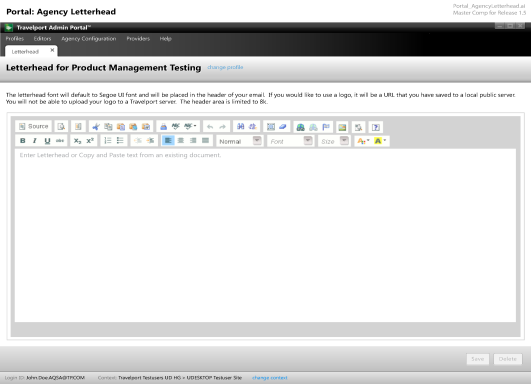
In the Enter Letterhead open text area, you can paste text from an outside file and are also allowed to use hyperlink URLs. There is an 8K character count limit. Images must use URLs that reside on your server; images are not stored. If the profile you have selected already includes Terms and Conditions text, it is displayed and you can edit it.