Signing On
Travelport+: Smartpoint 12.0
Changing Passwords
 Machine translation for sign-on topics is available in the Knowledge Base in the Sign on to Smartpoint Desktop with multi-factor authentication (MFA) article.
In Smartpoint 12.0 for Travelport+, there are two types of password changes:
-
The password for your MyTravelport account, which you use to sign on to Smartpoint 12.0.
-
Your Travelport+ host password, which is linked to your MyTravelport account, and is stored in your MyTravelport profile.
Changing MyTravelport Passwords
Your MyTravelport password expires every 365 days. You will receive email instructions to reset your password.
You can also change your password at any time by selecting the Forgot Password link from the Enter Your Password screen in the MyTravelport login.
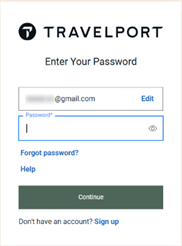
You can also change your password from your MyTravelport profile. See Password Reset in the MyTravelport Help for instructions.
Changing Host Passwords
Travelport+ (1G) host passwords are valid for 90 days. If your host password expires, Smartpoint automatically prompts you to create a new password. If your password has expired, a banner is displayed at the top of the Change password screen.

You can also voluntarily change your password at any time if you are signed on to the Travelport+ or Apollo system. You can change passwords and keywords in Smartpoint in several ways using:
- The Sign On dialog box to change passwords and keywords when you sign on.
- The Password dialog box to change passwords if you are already signed on.
- Terminal formats to change passwords and keywords.
To change your host password:
-
Log in to Smartpoint with your MyTravelport email address and password.
-
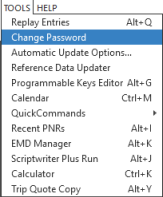
From the TOOLS
 menu, select Change Password.
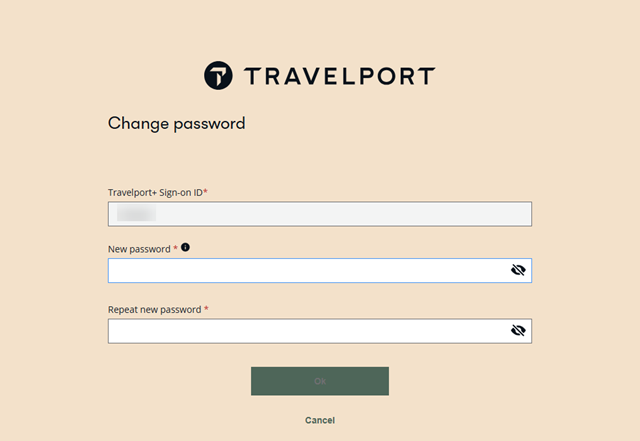
The Change password screen is displayed.
-
In Travelport Sign-on ID, enter your Travelport+ (1G) host sign on ID.
-
In New password, enter your new password.
-
In Repeat new password, enter the new password again.
-
Click OKto store your new Travelport+ (1G) host password in your MyTravelport account profile.
 Flex Windows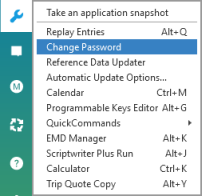
Next Steps
When you sign on on again, log in with your MyTravelport email and password. Your Travelport+ host sign on is synchronized with your MyTravelport login.