European Rail
View and manage bookings
After a booking is completed, you can retrieve the PNR/Booking File to launch the European Rail tool to view or manage bookings.
 Open a Rail Booking in Smartpoint Cloud
To open an existing rail booking:
-
Retrieve the PNR/Booking File in the graphical view.
Note: Access to the management feature is NOT available through the terminal view in Smartpoint Cloud.
-
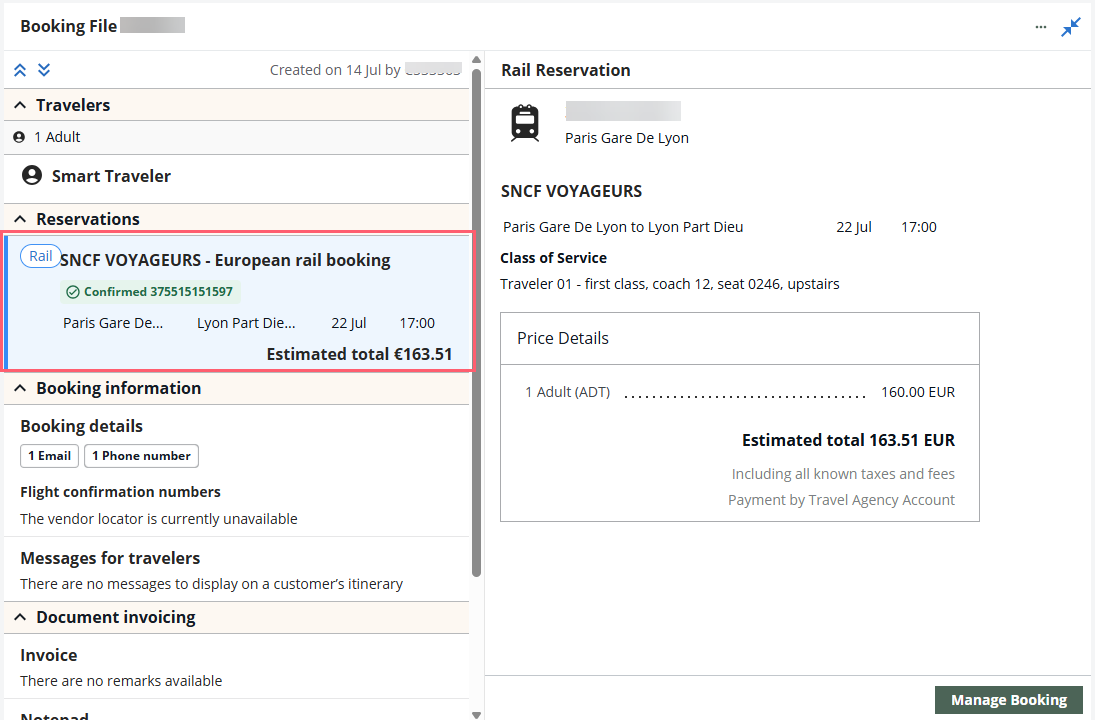
Expand the Reservations section.
-
Select the Rail segment.
-
Select Manage Booking button in the lower right to display the initial screen of the European Rail tool.
View bookings
To view bookings:
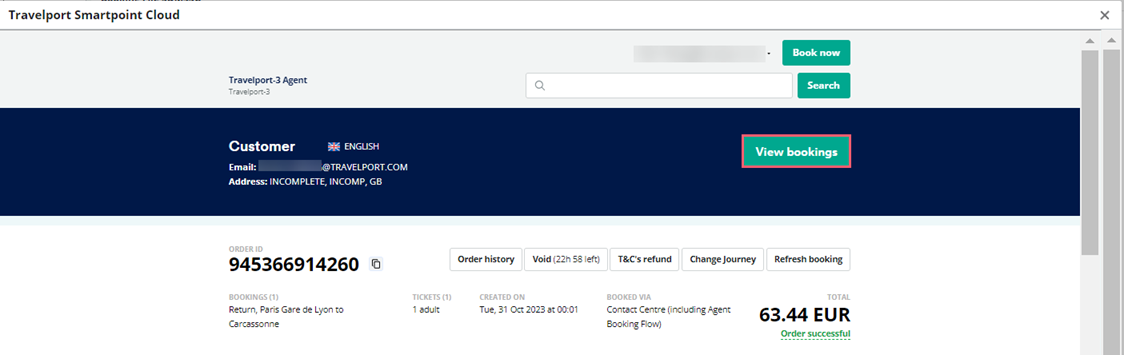
Select View bookings in the initial screen of the European Rail tool.
Manage bookings
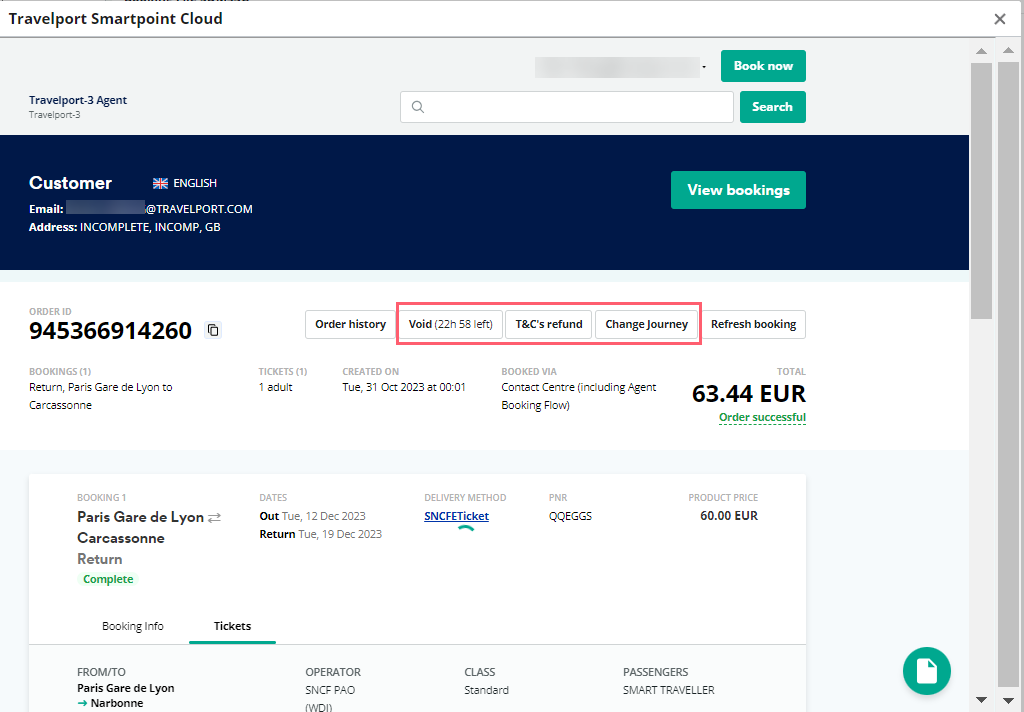
If permitted by the carrier and fare rules for a booking, you can:
-
Void bookings within a limited period (typically 24 hours).
-
Cancel bookings (T&C's refund).
-
Change the date and/or time of the journey.