Using the Travel/Customer/Revenue Types Screen
To access the Travel/Customer/Revenue Types screen, on the System submenu, click Travel/Customer/Revenue Types.
The Travel/Customer/Revenue Types screen appears.
 Travel/Customer/Revenue Types screen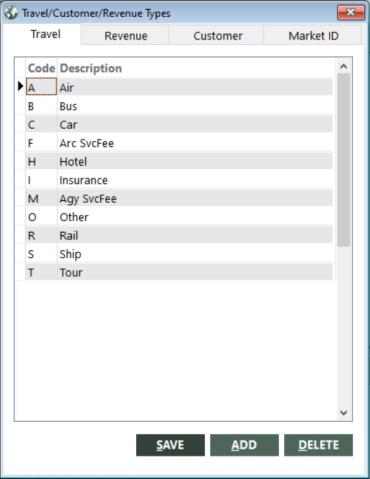
- To use the Travel and Customer tabs to maintain travel and customer types, see Maintaining Travel and Customer Types.
- To use the Revenue tab to maintain revenue types, see Maintaining Revenue Types.
- To use the Market ID tab to set up market IDs, see Setting Up Market IDs.