Other Ancillaries
Some airlines offer other ancillaries; traveler services such as priority boarding. Some traveler services are an extra cost above the flight cost.
If offered by the carrier, seats, bags, meals, traveler assistance, and other ancillaries can be selected before booking, after hold, and after ticketing using the Extras panel.
-
Select Other ancillaries in the Extras panel.
-
If adding before booking, once the last leg of the flight is selected, the Extras panel displays if any extras are offered by the selected carrier. To add extras, select Other ancillaries. If you do not want to select extras, select the Checkout button.
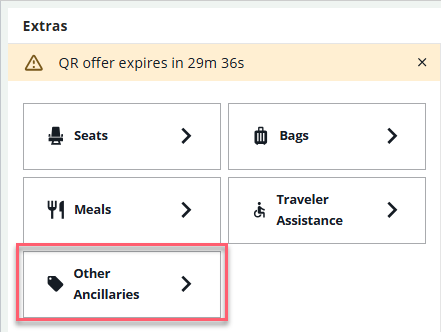
-
If adding after ticketing, display the graphical booking file. Select the Reservations section; in the right panel, scroll down to the Add extras section and select Other ancillaries.
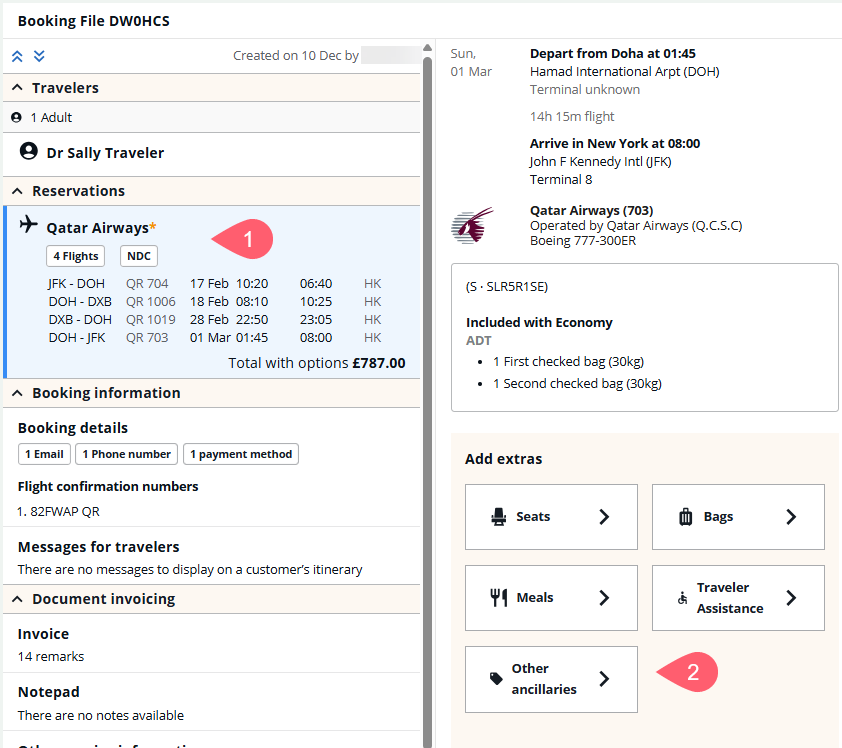
-
-
If traveler names have not been added prior to search, add traveler names.
-
If traveler services are available, it displays as an option with the associated price. Select the Add for button to add to the offer then select Review and confirm.
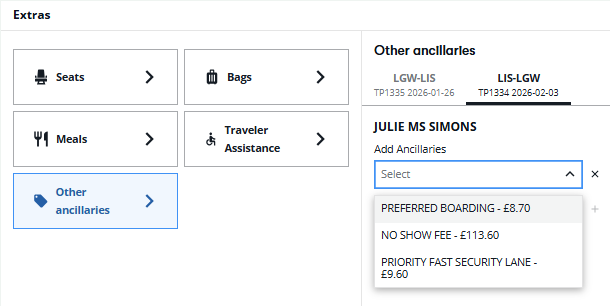
All selected ancillaries display in the Cart and are listed per traveler and per segment.
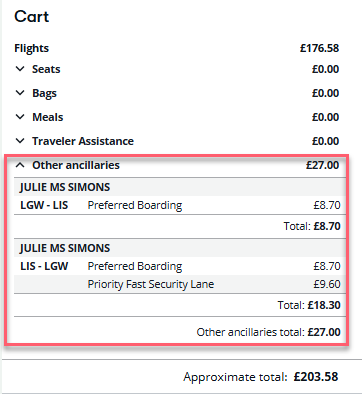
-
If ancillaries are added before booking, select Checkout. The Review and confirm panel displays.
-
Enter the payment and traveler information then choose Ticket.
If ancillaries are added after an NDC offer was ticketed, the ancillary price is shown as the amount due. Select Book and pay. The method of payment used for ticketing is used to pay for ancillaries.
Important: For Iberia, after booking priority boarding for some of the passengers on a leg, when the agent accesses the page again, they cannot add the priority boarding option for the other passengers on that particular leg. However, it is still possible to add priority boarding on the other legs.
Note: Priority boarding cannot be removed at this time. Priority boarding ancillary displays in the DI lines.
