Primary traveler contact details
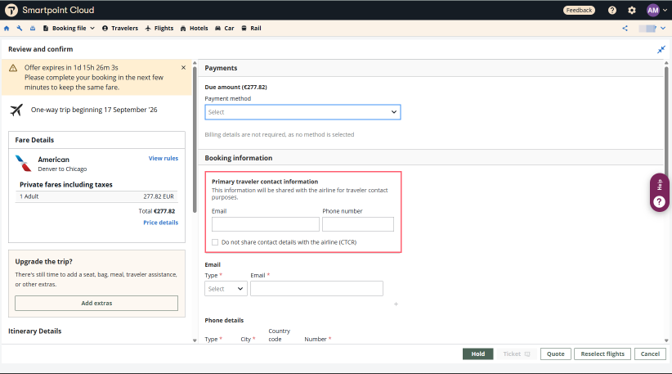
After the flights are selected, from the Review and Confirm screen, primary contact details can be added for passengers. These details are transmitted to the airline through CTC SSRs and may be used for operational communications or emergency situations.
Add primary traveler contact information
-
In Booking information section, locate the Primary traveler contact information box.
-
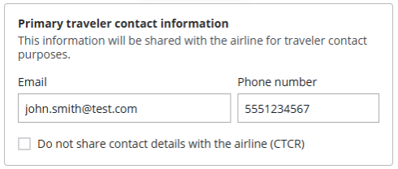
Enter the primary contact email and/or phone number. Alternatively, check the "Do not share contact details with the airline" box.
Display primary traveler contact information
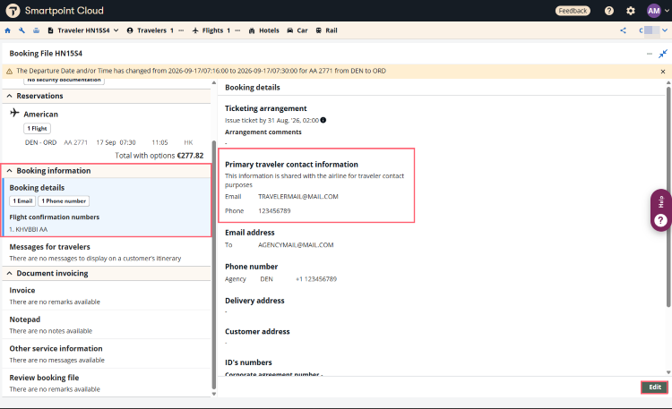
Once the booking is complete, press View Booking File and select the Booking Details section. The primary traveler contact information is displayed in the right-hand panel. Depending on the information provided, both a phone number and email address may be displayed, only one contact detail may be shown, or an indication may appear that contact details were not shared with the airline.
Change primary traveler contact information
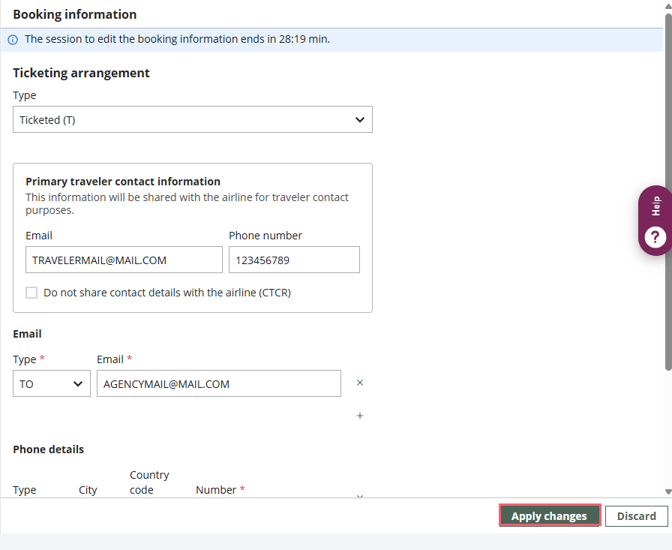
By clicking the Edit button, the primary contact details can be modified. This option can also be used to add contact information if it was not entered during booking creation on the Review and confirm screen.
Update the required information and click Apply changes. The booking is redisplayed with the updated contact details shown in the right-hand panel.