Branded Fares
Viewing and Upselling Branded Fare Tiers
If brand tiers are available for the selected fare family, you can typically upsell to another tier from the currently booked tier. This task can be performed for bookings made through Fare Shopping or Air Availability and Pricing.
To view and upsell brand tiers, you can use either:
-
The Brands and Ancillaries screen, which is shown in this topic.
The process for upselling may be slightly different between Travelport+ (1G) and Apollo (1V), depending on your version of Smartpoint.
-
Terminal commands for both Travelport+ and Apollo.
Enter BFA to view all tier levels for the branded fare. If upsells are available, you can rebook for another branded fare. You can rebook or view more information about each available brand tier. See Branded Fares - General Information in the Travelport Knowledge Base for more information.
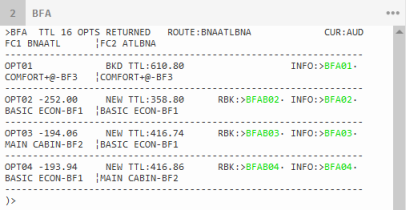
To upsell from the current brand tier using the Brands and Ancillaries screen:
- Open the fare quote/price information for the fare.
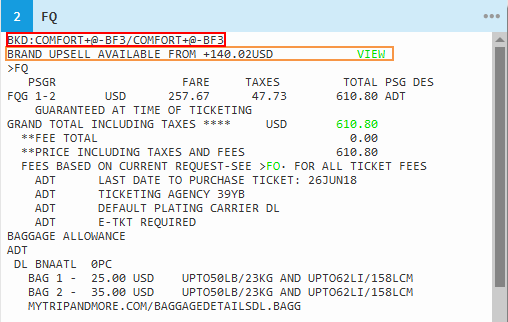
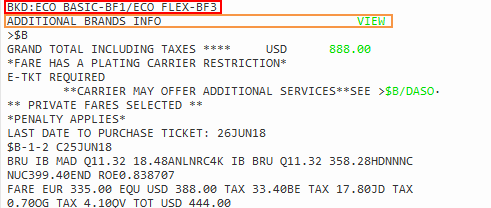
- Click VIEW to redisplay the Brands and Ancillaries screen to see brand tiers for this fare family. Or, you can enter the terminal equivalent: BFA.
- Select a new brand tier. Note that the difference in price from the original fare is noted in the lower left corner.
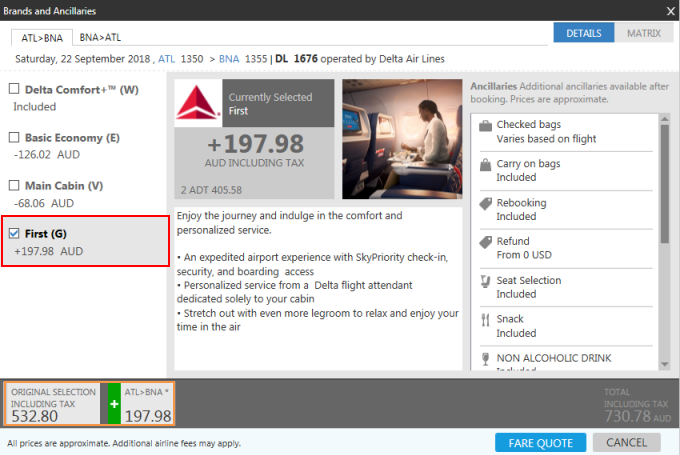
How are displayed brands and classes determined for a fare family?
The fare family displays only brands for the currently booked class or higher classes.
The following example shows the alternate brands displayed for an itinerary that is booked in an Economy ‘H’ class for a hypothetical airline.
The Economy class contains four brands. For all four brands, the lowest price exists for L class. H class has the first three brands only:
- Economy Lite (H, L)
- Economy Classic (H, L)
- Economy Premium (H, L)
- Economy Royal (L)
Smartpoint aggregates all brands for the booked class of service with any brands in the cabin that does not have the booked class of service. The following classes are displayed for each brand:
- Economy Lite (H)
- Economy Classic (H)
- Economy Premium (H)
- Economy Royal (L)
- Click FARE QUOTE to display the Summary screen.
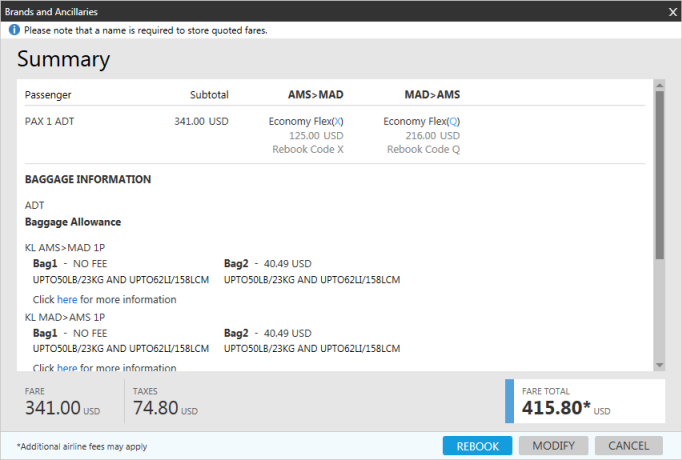
- Click REBOOK to book the updated brand selection.