Quick Menu
Passive Features
Additionally this plugin bundle includes the Passive Car and Hotel features.
The PASSIVE Plugin is designed to assist the agent in the creation of passive segments in the PNR. The PASSIVE Plugin uses a dialogue box to prompt the agent to fill in the required information for the passive segment. This user guide covers the passive segment creation for Air, Car, Hotel, and Limousine.
Passive Car

To add a passive car segment to an itinerary:
-
Click the Car button on the Passive Segment Menu.
The Create Passive Segments – Car dialog box displays.
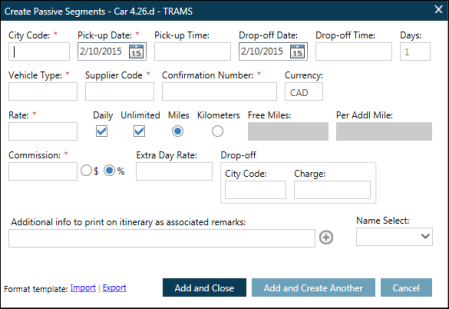
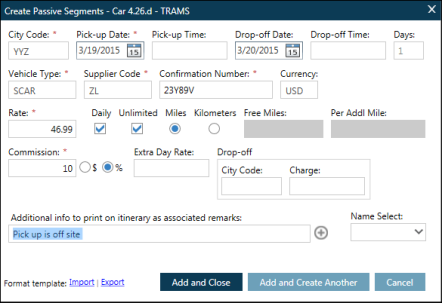
Enter the mandatory fields marked with a red asterisk* and any optional fields.
-
City Code
-
Pick-up Date
-
Drop-off Date
-
Vehicle Type
-
Supplier Code
-
Confirmation Number
-
Rate
-
Commission Percentage
-
Choose the appropriate action from the buttons:

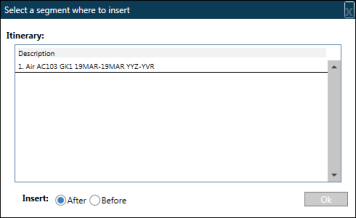
You may need to select a segment to insert after if you have other itinerary items present.
-
Click the segment and choose to insert After or Before and click OK.
You will see the passive segment in the PNR viewer in your itinerary.