Find your PCC or CIDB
You will need your agency's PCC (Pseudo City Code) or your CIDB (customer number) to self-register with MyTravelport.
Find your PCC
For Apollo customers:
-
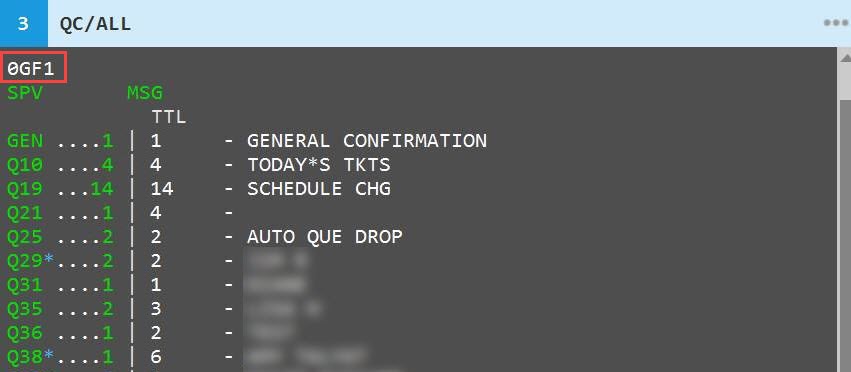
If your sign-on is not locked, then enter: QC/ALL
-
The pseudo displays.
For Galileo customers:
-
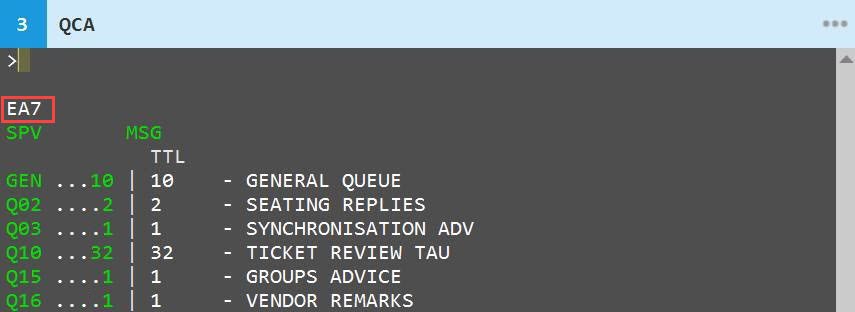
If your sign-on is not locked, then enter: QCA
-
The pseudo displays.
For Worldspan customers:
-
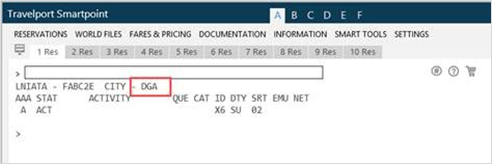
If your sign-on is not locked, then enter on the command line: B$
-
The pseudo displays.
Find your CIDB
For Apollo customers:
-
If your sign-on is not locked, then enter: C*CIDBNUMBER
-
The system responds with the message: YOUR UNIQUE CIDB NUMBER TO BE USED WHEN CALLING THE TRAVELPORT HELPDESK IS: 0123456.
Note: If a CIDB number is not available, the system returns: NO CIDB NUMBER CAN BE FOUND AT THIS TIME. PLEASE CONTACT YOUR LOCAL SALES CONTACT FOR ASSISTANCE.
For Galileo customers:
-
If your sign-on is not locked, then enter: C*CIDBNUMBER
-
The system responds with the message: YOUR UNIQUE CIDB NUMBER TO BE USED WHEN CALLING THE TRAVELPORT HELPDESK IS: 0123456.
Note: If a CIDB number is not available, the system returns: NO CIDB NUMBER CAN BE FOUND AT THIS TIME. PLEASE CONTACT YOUR LOCAL SALES CONTACT FOR ASSISTANCE.
For Worldspan customers:
-
Log on to Travelport Worldspan.
-
Select Settings then choose System.
-
Your customer number is shown on the right-hand side.