Manual Refunds
Refund Canceled Tickets
If automated refunds are not available, manual refunds may be required in several situations, including:
-
A limitation due to Category 33, but where agents have the authorization from airlines to refund the ticket.
-
If an automated refund is not possible due to the complexity in pricing.
-
If pricing has the complexity in partial flow itinerary.
-
Waivers are required for refund penalties.
This release currently supports:
-
Full refunds
-
Cancellation fees
-
Multiple passengers/PTCs
-
Waiver codes
Future releases will add functionality for:
-
Partial refunds
-
Multi offer
-
Ticket only refund
-
Tickets previously exchanged
To request a manual refund:
-
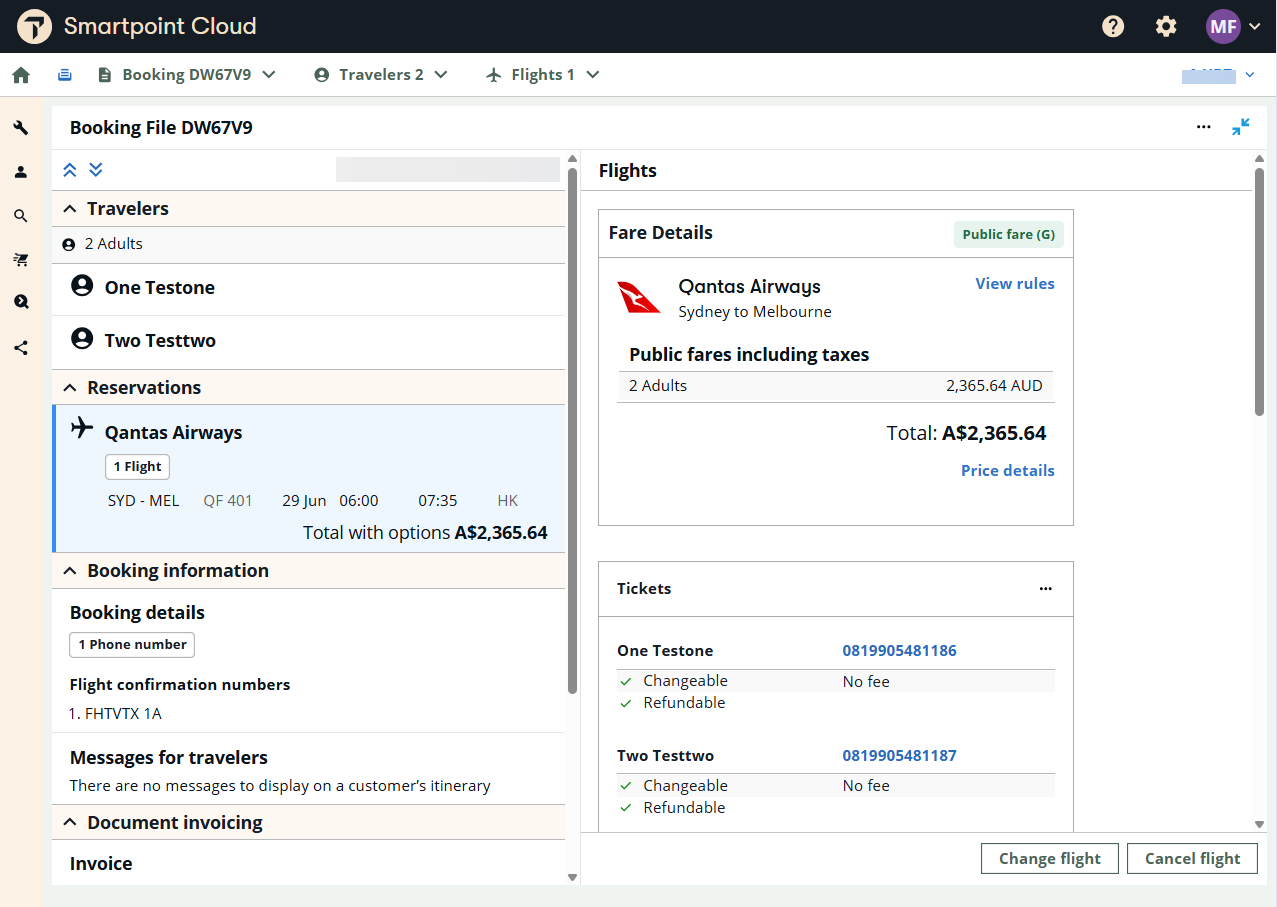
Open a PNR/Booking File with a ticketed fare that is eligible for manual refund in the Graphical Booking File and press the Cancel flights button.
-
On the modal window, select the desired options regarding flight segments and tickets.
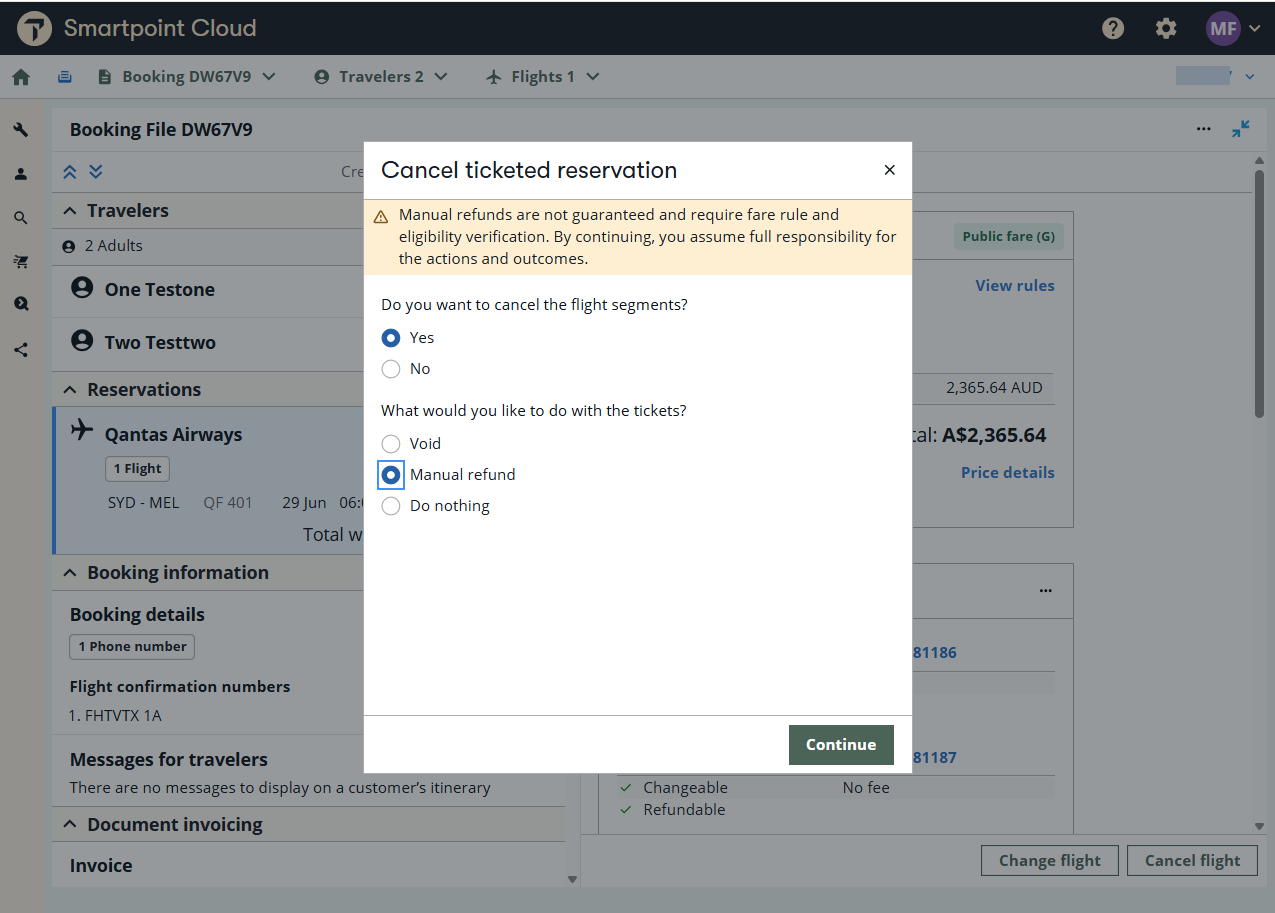
The Cancel ticketed booking screen is displayed. Note that cancellations and waivers apply to all passengers in the Booking File (PNR).
-
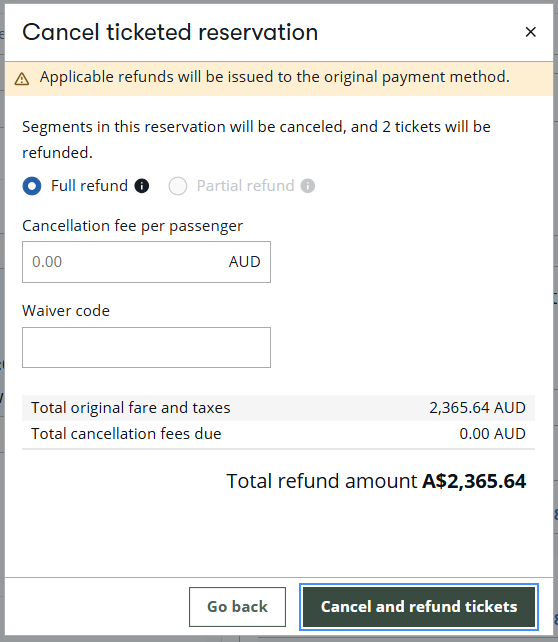
Confirm that Full refund is selected.
Note: Partial refunds are not yet available. -
If applicable. In Cancellation fee per passenger, enter an individual cancellation fee, not the total fee for all passengers.
Note: The amount of the cancellation fee is more than the amount of the lowest fare, an error is displayed.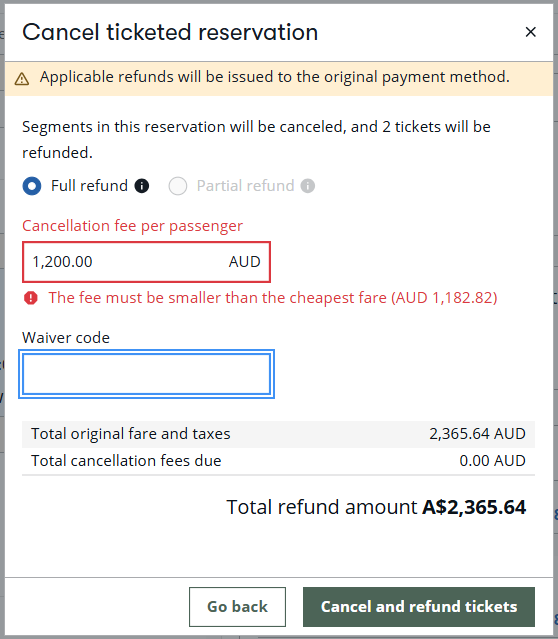
-
Select Cancel and refund tickets.
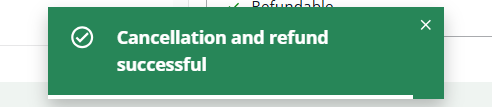
After the cancellation and refund process is complete, a success message displays.
The Booking File (PNR) is redisplayed with the OPEN segment updated to RFND status.
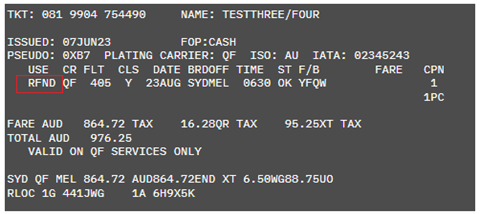
And HMPR reports indicates that a refund was issued with an adjustment for the cancellation fee in the final refund amount.

